最近python のprivate packageを使ってます。
https://dev.classmethod.jp/articles/get-start-rye-python/
poetryはなんか昔機械学習周りとかなり相性悪かったのですがryeはそのあたりも上手いことやってくれてる感があります。
さて、今回はこのryeを使ってgithubの repositoryをprivate packageとして扱えるようにします。
helpを見てみる
 1
 2
 3
 4
 5
 6
 7
 8
 9
10
11
12
13
14
15
16
17
18
19
20
21
22
23
24
25
26
27
28
29
30
31
32
33
34
35
36
| yuunag1❙~/workspace/test-python-package(git:main)❱✔≻ rye -h
An Experimental Package Management Solution for Python
Usage: rye [COMMAND]
Commands:
add Adds a Python package to this project
build Builds a package for distribution
config Reads or modifies the global `config.toml` file
fetch Fetches a Python interpreter for the local machine. This is an
alias of `rye toolchain fetch`
fmt Run the code formatter on the project
init Initialize a new or existing Python project with Rye
install Installs a package as global tool. This is an alias of `rye
tools install`
lock Updates the lockfiles without installing dependencies
lint Run the linter on the project
make-req Builds and prints a PEP 508 requirement string from parts
pin Pins a Python version to this project
publish Publish packages to a package repository
remove Removes a package from this project
run Runs a command installed into this package
show Prints the current state of the project
sync Updates the virtualenv based on the pyproject.toml
toolchain Helper utility to manage Python toolchains
tools Helper utility to manage global tools
self Rye self management
uninstall Uninstalls a global tool. This is an alias of `rye tools
uninstall`
version Get or set project version
list Prints the currently installed packages
help Print this message or the help of the given subcommand(s)
Options:
--version Print the version
-h, --help Print help
|
build してみた
うーん見た感じbuildとpublishが怪しいなあ
1
| build Builds a package for distribution
|
うーんこれはdist以下に生成物が生えたなあ
chatGPTに聞いてみました。
Pythonの .whl ファイルは、Wheel ファイル形式のパッケージです。WheelはPythonのパッケージ配布形式の一つで、PEP 427で定義されています。.whl 形式は、ソースコードの配布やビルドに使用される伝統的な .tar.gz 形式のソースアーカイブに代わるもので、多くの利点を提供します。
.whl ファイルの特徴
- インストールが速い:
.whl ファイルは、事前にビルドされたパッケージ形式であり、インストール時にコンパイルする必要がないため、インストールが速くなります。 - 一貫性がある: Wheel形式は、パッケージのビルドに関して一貫性をもたらし、環境に依存する問題を減少させます。
- プラットフォーム固有のビルドをサポート: 特定のプラットフォーム(例えば、Windows、macOS、Linuxの特定のバージョン)向けに事前にビルドされたバイナリを提供することができます。
- 仮想環境との互換性: Wheelパッケージは、Pythonの仮想環境とも互換性があります。
.whl ファイルの使用方法
.whl ファイルをインストールするには、 pip コマンドを使用します。例えば、example_package-1.0.0-py3-none-any.whl ファイルをインストールする場合、以下のコマンドを実行します。
1
| pip install example_package-1.0.0-py3-none-any.whl
|
このコマンドは、指定されたWheelファイルを現在のPython環境にインストールします。
.whl ファイル名の構成
Wheelファイルの名前は、パッケージ名、バージョン、ビルドタグ(オプション)、Pythonタグ、ABIタグ、およびプラットフォームタグから成り立っています。例えば、example_package-1.0.0-py3-none-any.whl では、
example_package はパッケージ名です。1.0.0 はパッケージのバージョンです。py3 はパッケージがPython 3と互換性があることを示します。none はABI(Application Binary Interface)に依存しないことを示します。any はどのプラットフォームでも使用できることを意味します。
.whl ファイルは、Pythonパッケージの配布、共有、そしてインストールを容易にするための重要な形式です。
え、これでinstallできるの??
1
2
3
4
| (test-python-package) ❰yuunag1❙~/workspace/test-python-package(git:main)❱✘≻ rye add "dist/test_pytho
n_package-0.1.0-py3-none-any.whl"
error: Expected one of `@`, `(`, `<`, `=`, `>`, `~`, `!`, `;`, found `/`
dist/test_python_package-0.1.0-py3-none-any.whl
|
できるわけないわなあ
publishしてみた
1
2
3
| (test-python-package) ❰yuunag1❙~/workspace/test-python-package(git:main)❱✘≻ rye publish
No access token found, generate one at: https://pypi.org/manage/account/token/
Access token:
|
はーんこれでpublishできるわけか。
public なら簡単やな。
これに、option で選べたりせんかなあ
publishのhelp
 1
 2
 3
 4
 5
 6
 7
 8
 9
10
11
12
13
14
15
16
17
18
19
20
21
22
23
24
25
26
27
28
29
30
31
32
33
| (test-python-package) ❰yuunag1❙~/workspace/test-python-package(git:main)❱✘≻ rye
publish -h
Publish packages to a package repository
Usage: rye publish [OPTIONS] [DIST]...
Arguments:
[DIST]... The distribution files to upload to the repository (defaults to
<workspace-root>/dist/*)
Options:
-r, --repository <REPOSITORY>
The repository to publish to [default: pypi]
--repository-url <REPOSITORY_URL>
The repository url to publish to
-u, --username <USERNAME>
The username to authenticate to the repository with
--token <TOKEN>
An access token used for the upload
--sign
Sign files to upload using GPG
-i, --identity <IDENTITY>
GPG identity used to sign files
--cert <CERT>
Path to alternate CA bundle
-y, --yes
Skip prompts
-v, --verbose
Enables verbose diagnostics
-q, --quiet
Turns off all output
-h, --help
Print help
|
–repository-urlでprivate repositoryを指定したらいいわけかなあ
1
2
3
| (test-python-package) ❰yuunag1❙~/workspace/test-python-package(git:main)❱✘≻ rye
publish --repository-url https://github.com/u-na-gi/test-python-package
error: invalid pypi url https://github.com/u-na-gi/test-python-package (use -h for help)
|
pypi形式のurlじゃないからダメって言われたな??????
先駆者がいた
https://engineers.ntt.com/entry/2022/12/23/091853
えーでも面倒だなあ
 1
 2
 3
 4
 5
 6
 7
 8
 9
10
11
12
13
14
15
16
17
18
19
20
| (test-python-package) ❰yuunag1❙~/workspace/test-python-package(git:main)❱✘≻ rye
publish -r https://github.com/u-na-gi/test-python-package.git
No access token found, generate one at: https://pypi.org/manage/account/token/
Access token: pypi-AgEIcHlwaS5vcmcCJGNlNzlhZGVhLTFhYzItNGYyMC1iZGFkLTA4NGU1MWZlOGIyNQACKlszLCIzMzM5ZjJkYi04NTllLTRlNTAtODI2Ni1lNzFjMjBiOTk0YjQiXQAABiCuwkJrUulTD19uWQSVD-yv7GHB07bOcFRvtbB-IzgiuQ
Uploading distributions to https://upload.pypi.org/legacy/
Uploading test_python_package-0.1.0-py3-none-any.whl
100% ━━━━━━━━━━━━━━━━━━━━━━━━━━━━━━━━━━━━━━━━ 4.1/4.1 kB • 00:00 • ?
WARNING Error during upload. Retry with the --verbose option for more details.
ERROR HTTPError: 403 Forbidden from https://upload.pypi.org/legacy/
The user 'u-na-gi' isn't allowed to upload to project
'test_python_package'. See https://pypi.org/help/#project-name for
more information.
error: failed to publish files
(test-python-package) ❰yuunag1❙~/workspace/test-python-package(git:main)❱✘≻
(test-python-package) ❰yuunag1❙~/workspace/test-python-package(git:main)❱✘≻
(test-python-package) ❰yuunag1❙~/workspace/test-python-package(git:main)❱✘≻
(test-python-package) ❰yuunag1❙~/workspace/test-python-package(git:main)❱✘≻ pip
--version
pip 24.0 from /Users/yuunag1/.pyenv/versions/3.12.2/lib/python3.12/site-packages/pip (python 3.12)
(test-python-package) ❰yuunag1❙~/workspace/tes
|
publishはなんかやんないとダメっぽいけど、
pipでlocalのpackage落とせるのはマジっぽい
….ほお???
https://github.com/astral-sh/rye/issues/191#issuecomment-1975175382
その前にimportできるんかこれ
1
2
3
4
| import sys
import pprint
from test_python_package import hello
pprint.pprint(hello())
|
できたなあ
uninstallしたら消える??
いあyできた
ただ、symlinkみたいなのが貼られてるだけと考えた方が良さそうだな。
pythonのimport pathにライブラリ相当の関数を書いたファイルへのパスが追加される程度っぽそう
importできることはわかったのでこれをrye に追加したい
https://github.com/astral-sh/rye/issues/191#issuecomment-1975175382
管理がアレだけど本当にこれでいけた
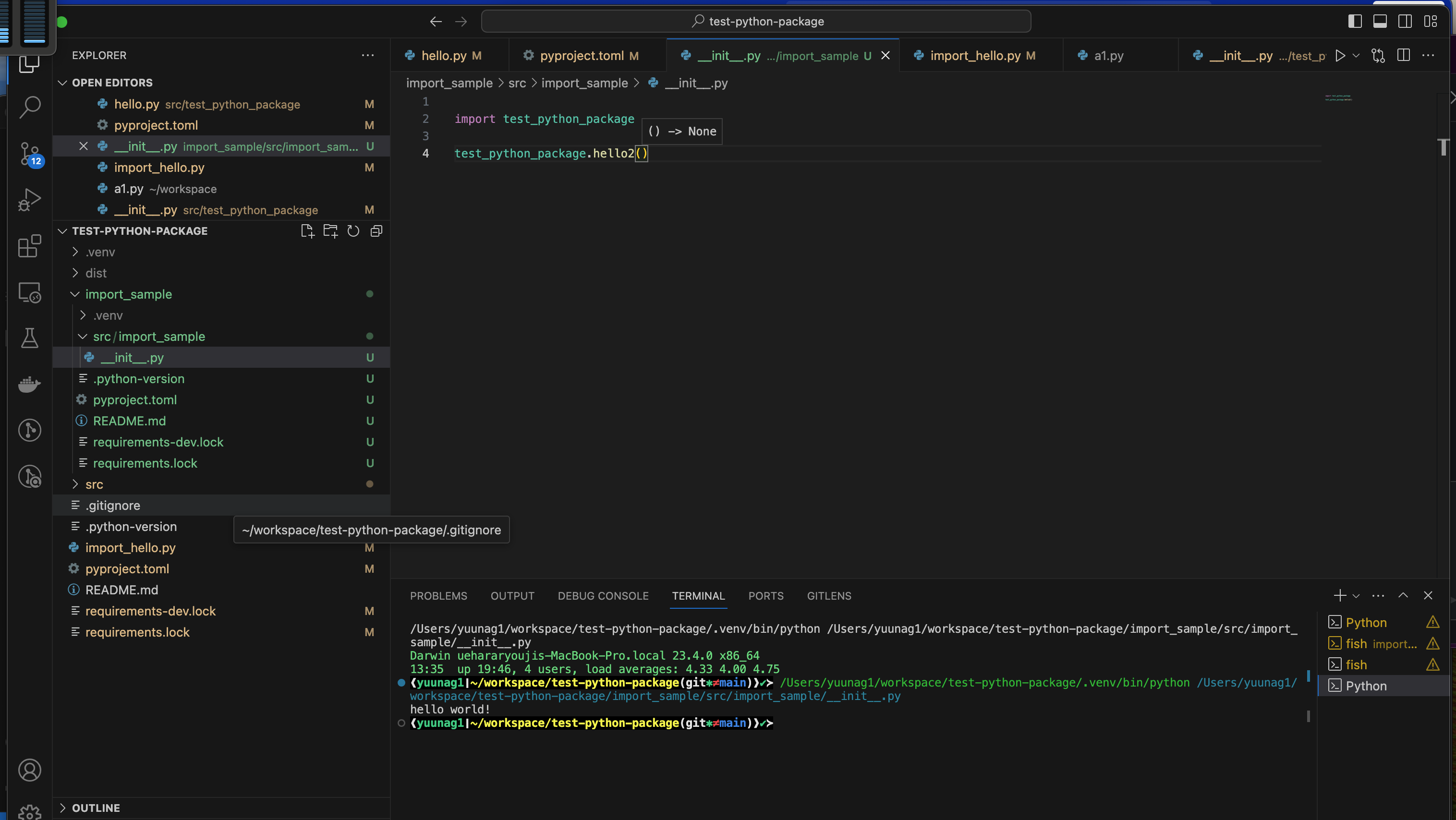
private packageとして設定するとだるいしこれで行けそう
レポジトリはこちら
https://github.com/u-na-gi/test-python-package